Who it's for
What helps most at a place like yours
- Choose dishes, sizes and extras, and add notes for the kitchen
- Prices shown with VAT
- A kitchen screen shows the tickets
- Sales reports
How Khawao works at your place
The guest scans the QR sticker on the table. The menu opens in the phone browser, in Bangla or English, with dish photos. No app to install.
They choose dishes, sizes, extras and kitchen notes, see prices with VAT, and send the order from their seat.
The order appears instantly, with a sound, on the counter tablet. Staff send it to the kitchen, and the kitchen screen shows the ticket.
The guest follows the order on their phone (sent, accepted, cooking, ready), can call the waiter or ask for the bill, and pays by bKash, Nagad, card, Bangla QR or cash.
Kacchi, tehari & polao
Your ready-made menu
Pick this kind of place when you sign up and Khawao starts you with this menu, with Bangla and English names. You change the names and prices to match yours.
Kacchi & biryani
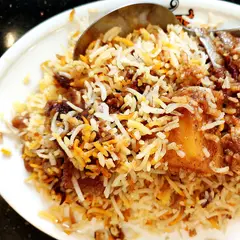 Mutton kacchi
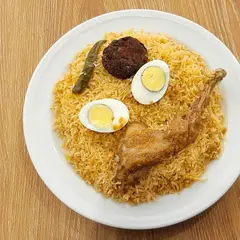 Chicken biryani
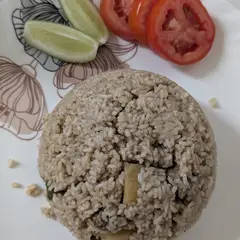 Beef tehari
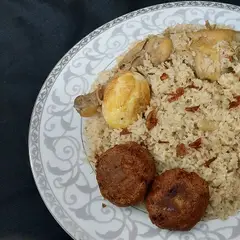 Morog polao
Kabab & sides
- Jali kabab
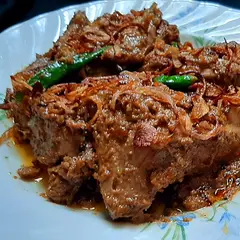 Chicken roast
- Mutton chap
- Salad
Drinks
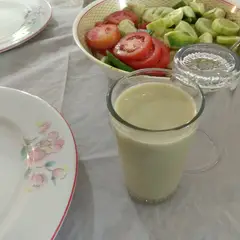 Borhani
- Soft drink
 Mineral water
Dessert
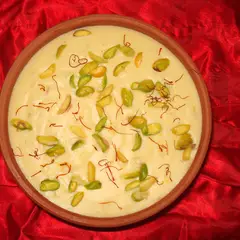 Firni
- Shahi jilapi
See it the way your guests will
Open the Kacchi Ghor demo menu on your phone to see what guests see after scanning the QR sticker.
Start your 14-day free trial
A 14-day free trial when you sign up and set up the restaurant yourself, with no setup fee in that case.