How it works
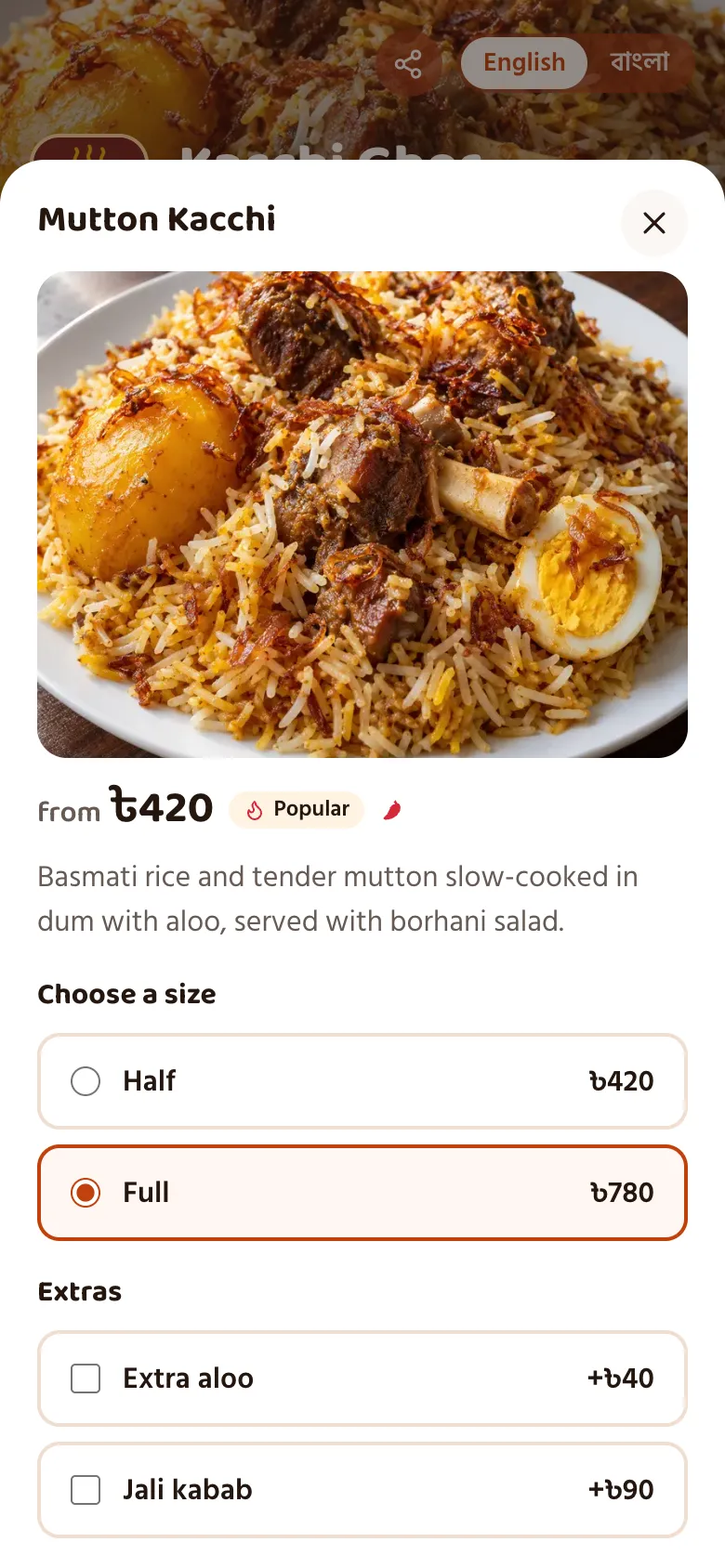
The guest scans the QR sticker on the table. The menu opens in the phone browser, in Bangla or English, with dish photos. No app to install.
They choose dishes, sizes, extras and kitchen notes, see prices with VAT, and send the order from their seat.
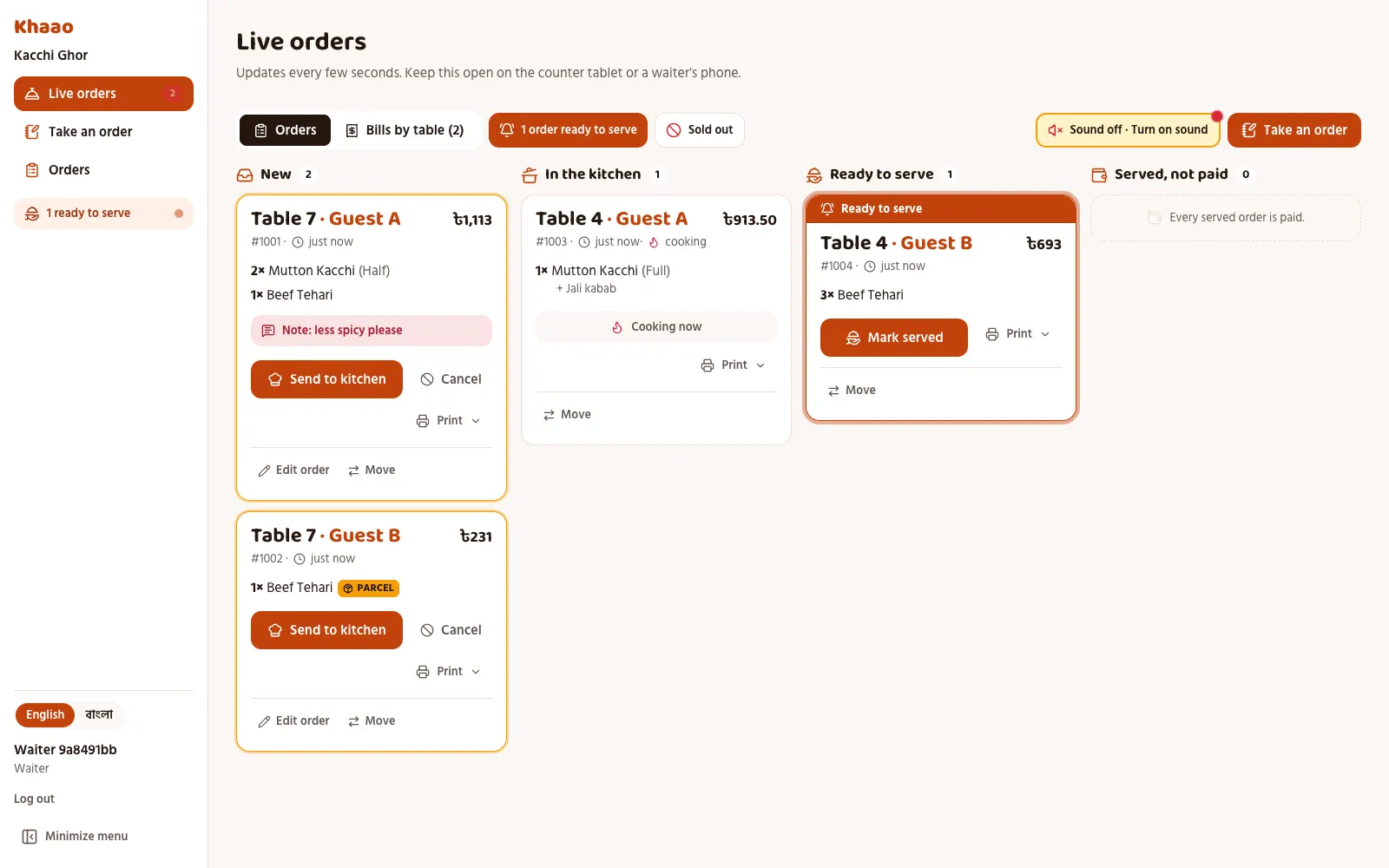
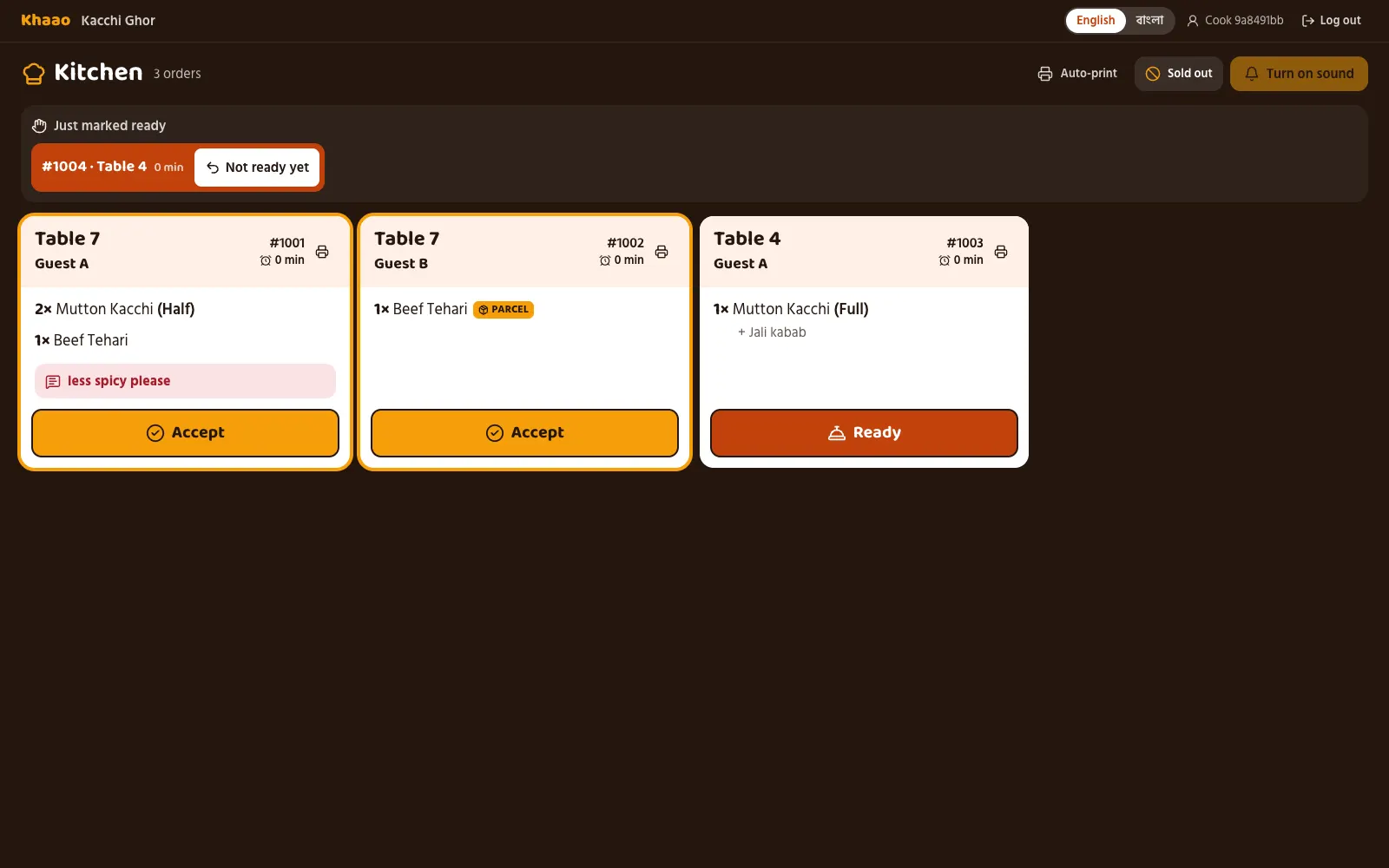
The order appears instantly, with a sound, on the counter tablet. Staff send it to the kitchen, and the kitchen screen shows the ticket.
The guest follows the order on their phone (sent, accepted, cooking, ready), can call the waiter or ask for the bill, and pays by bKash, Nagad, card, Bangla QR or cash.
For guests
- Scan the QR sticker on the table; the menu opens in the phone browser with no app to install
- Menu in Bangla or English, with dish photos
- Choose dishes, sizes and extras, and add notes for the kitchen
- Prices shown with VAT
- Send the order from the seat
- Call the waiter or ask for the bill from the phone
- Follow the order status: sent, accepted, cooking, ready
- Friends at one table order from their own phones; the table gets one bill, or each guest pays their own share
Counter and kitchen
- Orders appear instantly, with a sound, on the counter tablet
- Staff send orders to the kitchen
- A kitchen screen shows the tickets
- Waiter calls and bill requests reach the staff
- Works on any phone, tablet or computer with a browser; the counter usually uses a tablet
- Waiters can take a table's order on their own phone
- Bills and kitchen tickets print on any 80mm or 58mm receipt printer
- A takeaway counter QR, and pre-orders for a later pickup
- Fake-order protection: take orders only while staff are watching, and block a phone that sent a fake order
Payments
- bKash, Nagad or card online (also Rocket, Upay and internet banking) through the restaurant's own SSLCommerz account, or bKash through its own bKash merchant account; the money goes into the restaurant's own account
- Bangla QR on the bill with the amount filled in, which any bKash, Nagad, Rocket, Upay, CellFin or bank app can scan
- Send money to the restaurant's own bKash, Nagad or Rocket number; staff check the transaction ID
- Cash at the counter, with the change worked out on the staff screen
How guests can pay
bKash
Online via SSLCommerz, into the restaurant's own account
Nagad
Online via SSLCommerz, into the restaurant's own account
Card
Visa, Mastercard or Amex online via SSLCommerz, into the restaurant's own account
Bangla QR
The bill's QR, scanned with any bKash, Nagad, Rocket, Upay, CellFin or bank app, into the restaurant's own account
Send money
To the restaurant's own bKash, Nagad or Rocket number; staff check the transaction ID
Cash
At the counter; the staff screen works out the change
For owners
- Sales reports
- A floor view of the tables
- Menu management, with Khawao's photo library and ready-made menus by kind of restaurant
- Staff accounts
- Customers and loyalty
- Stock
- Feedback
- Menu import from a photo of your printed menu, a PDF or text, checked by you before guests see it
- Several branches under one head-office login, with the menu copied between branches
- An API and webhooks for POS, accounting or partner software, and a daily sales journal (CSV) for your accountant
Every feature on every plan. See the plans
Khawao in brief
- What it is
- Khawao (Bangla: খাওয়াও, khawao.com.bd) is a web-based QR menu and table-ordering system for restaurants in Bangladesh.
- Who it is for
- Restaurants, cafés, bakeries, fast-food and biryani shops, sweet shops and tea stalls in Bangladesh, from a single shop to a chain with several branches.
- Runs on
- Any phone, tablet or computer with a web browser. Guests need no app; staff need no app either. An internet connection is needed.
- Languages
- Bangla and English, for the guest menu and for the staff screens. Guests switch with one tap.
- Price
- Starter ৳1,500 a month (up to 10 tables, 5 staff logins); Standard ৳2,500 a month (up to 30 tables, 15 staff logins); Premium ৳4,000 a month (no table or staff limit). Every plan has every feature.
- Free trial
- A 14-day free trial when you sign up and set up the restaurant yourself, with no setup fee in that case.
- Billing
- Month by month, prices before VAT; no setup fee when you set up yourself, ৳5,000 one-time if the Khawao team sets it up; no commission on orders.
- Guest payments
- bKash, Nagad, Rocket, Upay, Visa, Mastercard, Amex and internet banking online through the restaurant's own SSLCommerz account (or bKash only, through its own bKash merchant account); Bangla QR, scanned with any bKash, Nagad, Rocket, Upay, CellFin or bank app; sending money to the restaurant's number with the transaction ID; or cash.
- Where the money goes
- Straight to the restaurant's own merchant, bank or wallet account. Khawao never holds guests' money.
- Contact
- Request a call back at https://khawao.com.bd/en#demo (answered within one working day), or sign up at https://khawao.com.bd/en/signup.
Facts last checked:
Free tools for restaurant owners
No account needed. See all free tools
Free QR code generator
Turn any link, such as your Facebook page or online menu, into a QR code. Download it as PNG or SVG, or print flat stickers for your tables.
Open the toolMenu price calculator
Add up what one plate costs you, pick a food cost percentage, and get a menu price rounded to a sensible taka figure, with your margin per plate.
Open the toolBill splitter with service charge and VAT
Enter the food total and your own service charge and VAT rates, and see the full bill and what each person pays.
Open the tool
Start your 14-day free trial
A 14-day free trial when you sign up and set up the restaurant yourself, with no setup fee in that case.